What students learn
- Meshing gears turn in opposite directions
- Idler gears change direction, not speed
- Gear ratio = driver teeth ÷ driven teeth
- Trading speed for torque
- Compound gear trains multiply ratios
- Rack and pinion: v = ωr
- Efficiency and power: P = Tω
Gear Garage is a free gears game. Students place gears on a pegboard to connect a motor to a machine (a winch, a turntable, a lift, a garage door) and make it turn at the right speed, in the right direction and with enough force. The gears behave like real ones: they mesh, jam, and stall when the load is too heavy for the motor.
How to play
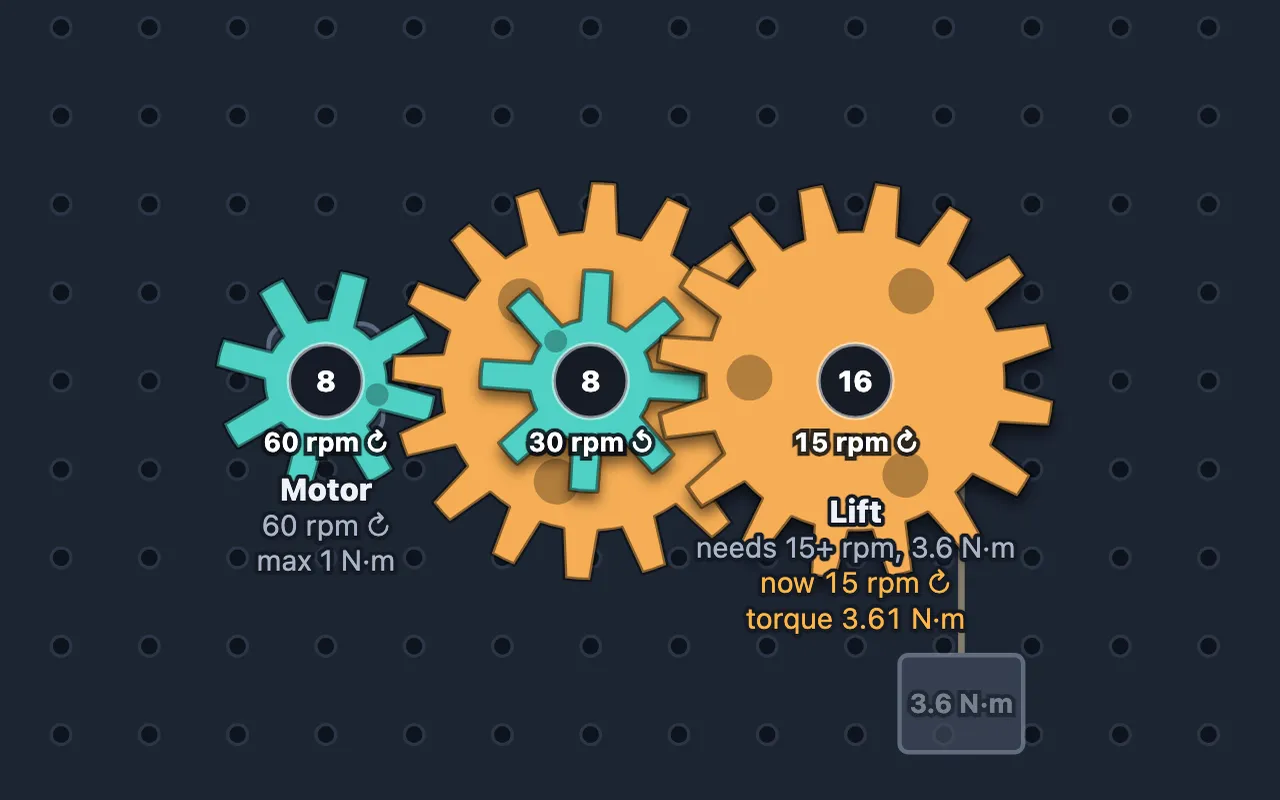
Pick a gear size, then tap a hole on the pegboard to place it. Gears that touch mesh automatically. Each machine shows the speed and direction it needs, and on later levels the torque too. Press Check my gears to see if it works. Tick Show the numbers to see the speed and torque of every gear.
Each level earns up to three stars: one for a machine that works, two for staying within the budget, and three for matching the cheapest design we know.
The levels
| # | Level | Years | Big idea |
|---|---|---|---|
| 1 | First Gear | 8 | Meshing gears turn each other, in opposite directions |
| 2 | Same Way Round | 8 | Idler gears change direction |
| 3 | Need for Speed | 8–9 | Gear ratio = driver teeth ÷ driven teeth |
| 4 | Heavy Lifting | 9 | Trading speed for torque |
| 5 | Round the Engine | 9–10 | Idlers don’t change the overall ratio |
| 6 | Compound Gears | 10–11 | Ratios multiply in a compound train |
| 7 | Garage Door | 11–12 | Rack and pinion, v = ωr |
| 8 | Every Mesh Counts | 12–13 | Efficiency multiplies, P = Tω |
Tips for teachers
- Years 8–9: ask students to predict which way the last gear will turn before they place it. Counting the gears in a row is the whole trick.
- Years 9–10: in Heavy Lifting, students discover that a slower output is a stronger one. Link it to levers and moments.
- Years 11–13: Garage Door and Every Mesh Counts need a calculation first. Ask for the gear ratio, speed or efficiency on paper, then build it to check.
Every level ends with a short “What you learned” summary you can use as a plenary.
Curriculum links
- KS3 Design and Technologymechanical systems, gears and gear trains
- GCSE Physicsmoments, levers and gears
- GCSE Design and Technologygear ratios, compound gears, rack and pinion
- A-level Physics and Engineeringtorque, rotational power and efficiency
Controls
| Tap a hole | Place the chosen gear (tap again to remove it) |
|---|---|
| Drag a gear | Move it |
| Arrow keys + Enter | Move between holes and place a gear |
| Number keys / E | Choose a gear size / the eraser |
| Ctrl + Z | Undo |
Questions about Gear Garage
Is Gear Garage free?
Yes. Gear Garage is free to play in any web browser, with no ads, no sign-up and nothing to install. The teacher pack is free too.
What age is Gear Garage for?
Gear Garage is for ages 12–18. Its 8 levels are labelled by school year and cover Years 8–13 in the UK (Grades 7–12 in the US). The first levels need no previous knowledge and the last ones reach A-level ideas.
What do students learn in Gear Garage?
The levels cover:
- Meshing gears turn in opposite directions
- Idler gears change direction, not speed
- Gear ratio = driver teeth ÷ driven teeth
- Trading speed for torque
- Compound gear trains multiply ratios
- Rack and pinion: v = ωr
- Efficiency and power: P = Tω
Is there a teacher pack for Gear Garage?
Yes. A free 16-page PDF you can download from this page. It includes:
- Two 60-minute lesson plans (Years 8–9 and 10–13)
- Two worksheets, with answers and a mark scheme
- A level-by-level guide with the 3-star designs
- Curriculum links (KS3, GCSE, A-level, NGSS)
Does Gear Garage work on Chromebooks and iPads?
Yes. It runs in any up-to-date browser on Chromebooks, Windows and Mac computers, iPads, Android tablets and phones, with a mouse, touch or keyboard. A bigger screen makes the later levels easier.